
Public Alpha (v0.1.x)
Oore CI is in public alpha.
- Expect breaking changes (APIs, config formats, and CLI flags) between
v0.1.xreleases. - We still publish a
stablechannel to mean “the default install/update channel”, not “1.0 production maturity”.
If you’re evaluating Oore CI, this page is the shortest path to your first green build.
Before broader rollout, review: Known Alpha Limitations.
Release Channels
Oore CI uses three release channels to balance stability and velocity.
| Channel | Frequency | Stability | Recommended For |
|---|---|---|---|
| stable | ~Weekly | Highest | Typical evaluation and production usage. |
| beta | ~Daily | Moderate | Previewing upcoming features. |
| alpha | Per-commit | Experimental | Testing bug fixes or contributing code. |
Install/Update Examples
# Install stable (default)
curl -fsSL https://oore.build/install | bash

# Install alpha
curl -fsSL https://alpha.oore.pages.dev/install | OORE_CHANNEL=alpha bash

# Update to latest on your current channel
oore update
Auth mode decision table
Choosing the right authentication mode depends on where you access your daemon from.
| Mode | Access | Auth | Use case |
|---|---|---|---|
| Local Only | Loopback only | Loopback local login, no passwords | Fast local evaluation or local operator access |
| Remote OIDC | HTTPS | Any OIDC-compatible provider | Team access without an identity proxy |
| Remote Trusted Proxy | HTTPS through identity proxy | Forwarded identity header plus shared secret on trusted proxy hops | Private networks or enterprise identity proxies |
Supported onboarding paths
Choosing the right path depends on how your browser reaches the backend. The backend owns setup and auth; the hosted or local frontend only drives the backend setup API.
| Path | Use When | Requirements | Tradeoffs |
|---|---|---|---|
| Local-first | Fast local eval | macOS, loopback | No remote access |
| Hosted UI + Remote OIDC | Teams without an identity proxy | macOS backend, HTTPS URL, OIDC app | Requires provider setup |
| Hosted UI + Remote Trusted Proxy | Private/proxied deployments | macOS backend behind HTTPS identity proxy | Proxy must forward a trusted identity header |
| Split frontend/backend | Browser-facing UI runs on another host | macOS backend plus frontend role host | More moving parts, cleaner network boundary |
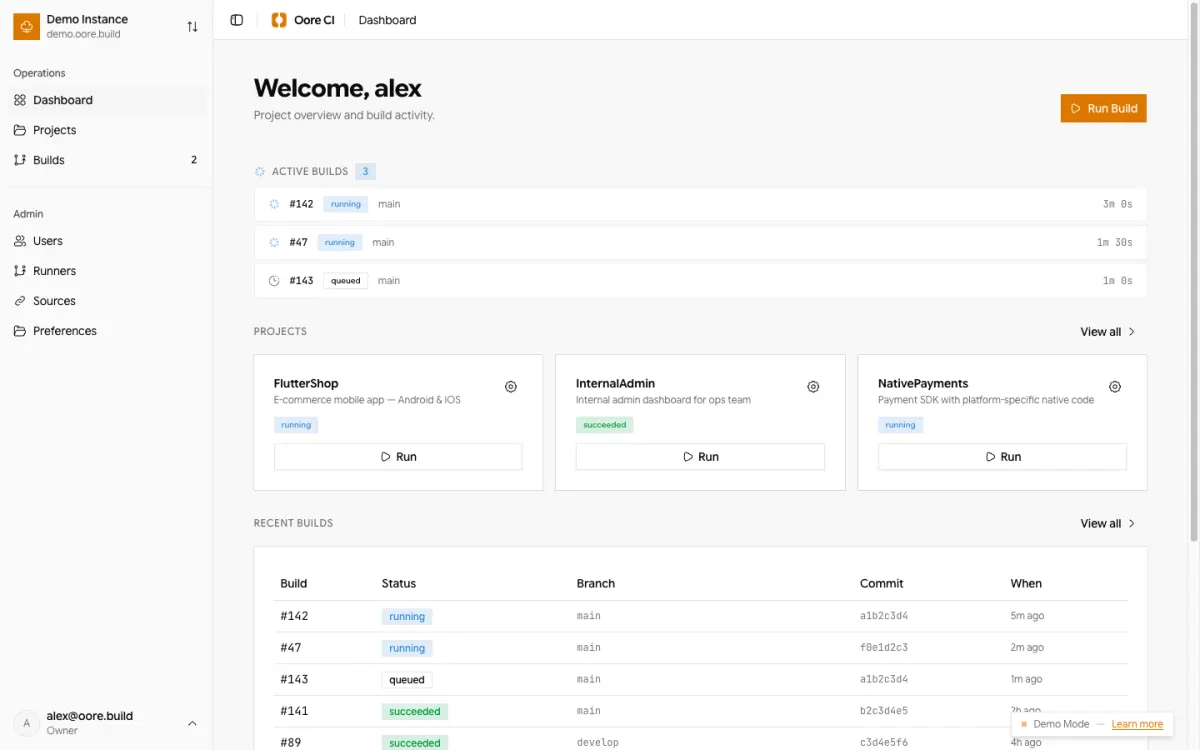
The public demo uses rich fixed sample data and never persists mutations. Try Owner, Admin, Developer, and QA Viewer with
demo+<role>@oore.build; every account uses passwordowner. Allowed mutation controls remain explorable, but attempts showAction not allowed on demo.
Path A: Local-first (no HTTPS required)
Best when you want to try it on a single Mac first.
- Install:
curl -fsSL https://oore.build/install | bash- Start the daemon:
oored run- Complete setup from the CLI:
oore setup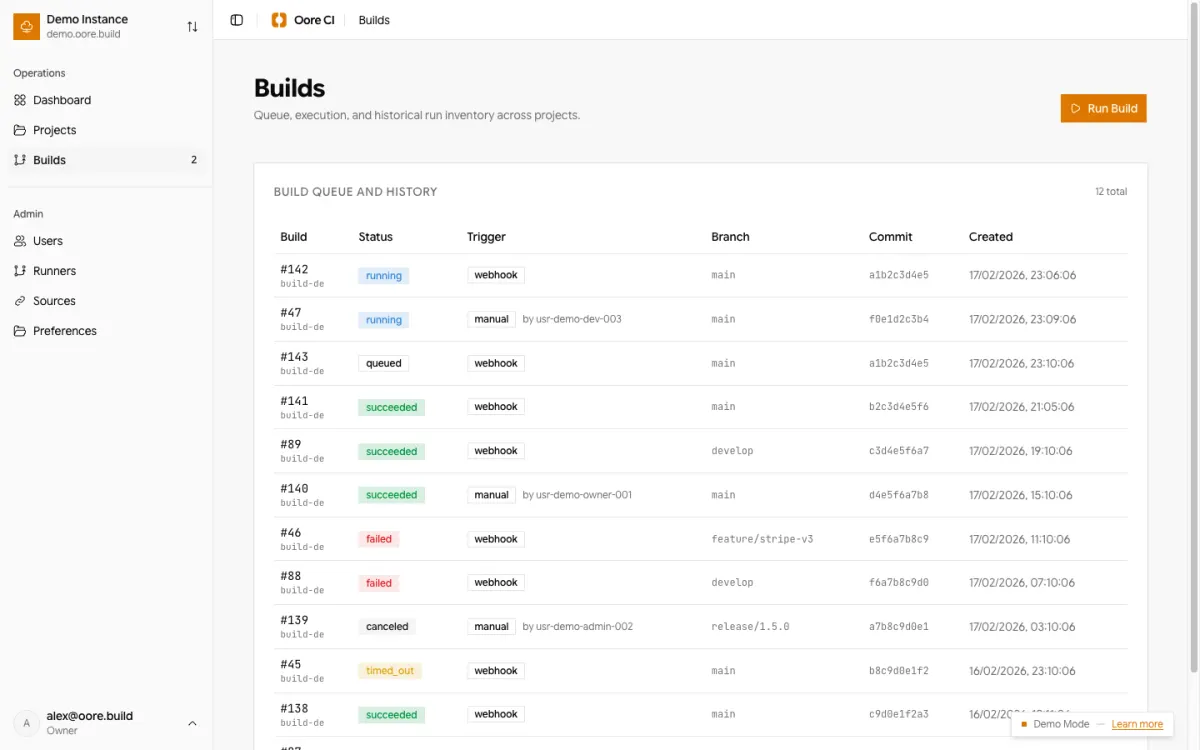
Continue with:
Path B: Hosted UI (requires an HTTPS-reachable backend URL)
Best when you want the hosted UI at https://ci.oore.build from day one. ci.oore.build is UI-only; it does not host your daemon, proxy your API traffic, or store your setup secrets.
Important constraint: Browsers block https pages (like ci.oore.build) from making requests to http://127.0.0.1 or other http origins. You must provide an https:// URL for your backend.
- Install + start the daemon as above.
- Make your backend reachable over HTTPS from your browser network path. A temporary tunnel is one example:
cloudflared tunnel --url http://127.0.0.1:8787- Open
https://ci.oore.build, add your HTTPS backend URL, and follow the setup wizard. - Choose
Remote OIDCorRemote Trusted Proxy.
Path C: Split frontend/backend
Best when the browser-facing UI should run on Linux or another host while builds stay on a macOS backend.
- Install
backendmode on the macOS host. - Install
frontendmode on the browser-facing host. - Put HTTPS in front of the frontend host.
- In the UI, add the instance with Backend URL empty so browser API calls stay on the same origin and flow through
oore-web.
Continue with Split Backend and Frontend.
Temporary tunnel example: cloudflared troubleshooting
If you use cloudflared as a temporary HTTPS tunnel for Hosted UI testing, check these common failure modes:
Tunnel URL has expired
- Symptom: Cloudflare logo page says "This tunnel is not active."
- Fix: Restart your tunnel command. If using Quick Tunnels, you will get a new URL each time.
- Check:
cloudflared tunnel --url http://127.0.0.1:8787
Localhost Mismatch (Port 8787)
- Symptom: "Backend unreachable" from
ci.oore.builddespite tunnel being up. - Fix: Ensure
ooredis running on the same port your tunnel is pointing to. - Check:
curl -I http://127.0.0.1:8787/healthz
- Symptom: "Backend unreachable" from
Mixed Content / HTTP instead of HTTPS
- Symptom: Browser console shows "Blocked loading of mixed active content."
- Fix: Ensure your backend URL in
ci.oore.buildstarts withhttps://. - Check: Look for the
trycloudflare.comURL in your terminal logs.
For a full reset of your Oore CI instance, see the Clean Reinstall Guide.
Continue with:
Common first-time blockers (and fixes)
oore / oored not found after install
The installer adds ~/.oore/bin to your PATH for future shells.
- Open a new terminal, then try
oore version, or - Use the full path once:
~/.oore/bin/oore version.
Hosted UI can’t connect to a localhost backend
If your backend URL is http://127.0.0.1:8787, the hosted UI will not be able to reach it.
- Use local setup (
oore setup), or - expose the backend over HTTPS (tunnel / reverse proxy) and use that URL in hosted UI.
"Do I need OIDC on day one?"
No, if you are staying local-only or if an identity-aware proxy already authenticates users.
Use:
Local Onlyfor loopback evaluation.Remote Trusted Proxywhen a proxy forwards authenticated identity headers.Remote OIDCwhen Oore should perform the browser redirect flow itself.
How to report issues and security findings
- Bugs/UX issues: GitHub issues (use the Alpha Feedback Playbook)
- Security reports: follow SECURITY.md (private disclosure)